Product Overview
  Enterprise Package
  Integrations
  Security
  Hardware
  FAQ
FAQ 
 How Evocon Works
  OEE Monitoring
  Downtime Tracking
  Manufacturing Data Collection
  Production Monitoring
  Continuous Improvement
  Quality Control
 Learn
Learn  Case Studies
  Reports and Tools
  OEE Fundamentals
  Increasing Productivity
  Sustainability in Manufacturing
  The 5-Day Guide to Launch OEE Monitoring in 2026
 OEE Calculator
  ROI Calculator
  OEE Excel Template
  Evocon
  Contact
  Join us
  Sign in
 Back to main menu
Production Reporting

30-day free trial. No financial commitment
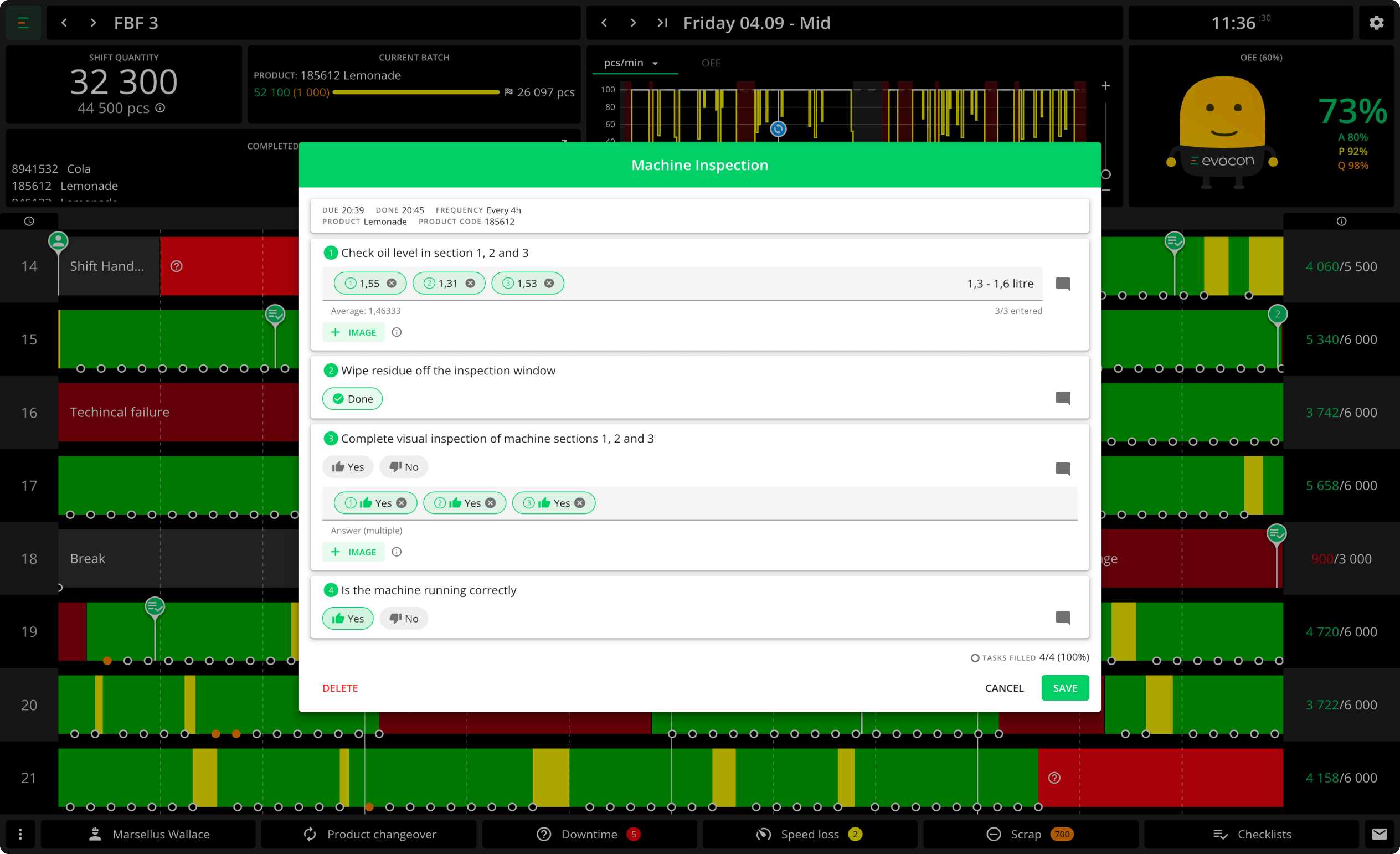
Checklists digitize and automate your recurring production checks. By using real-time machine data, operators can perform the right tasks at the right time—boosting efficiency and quality across the board.
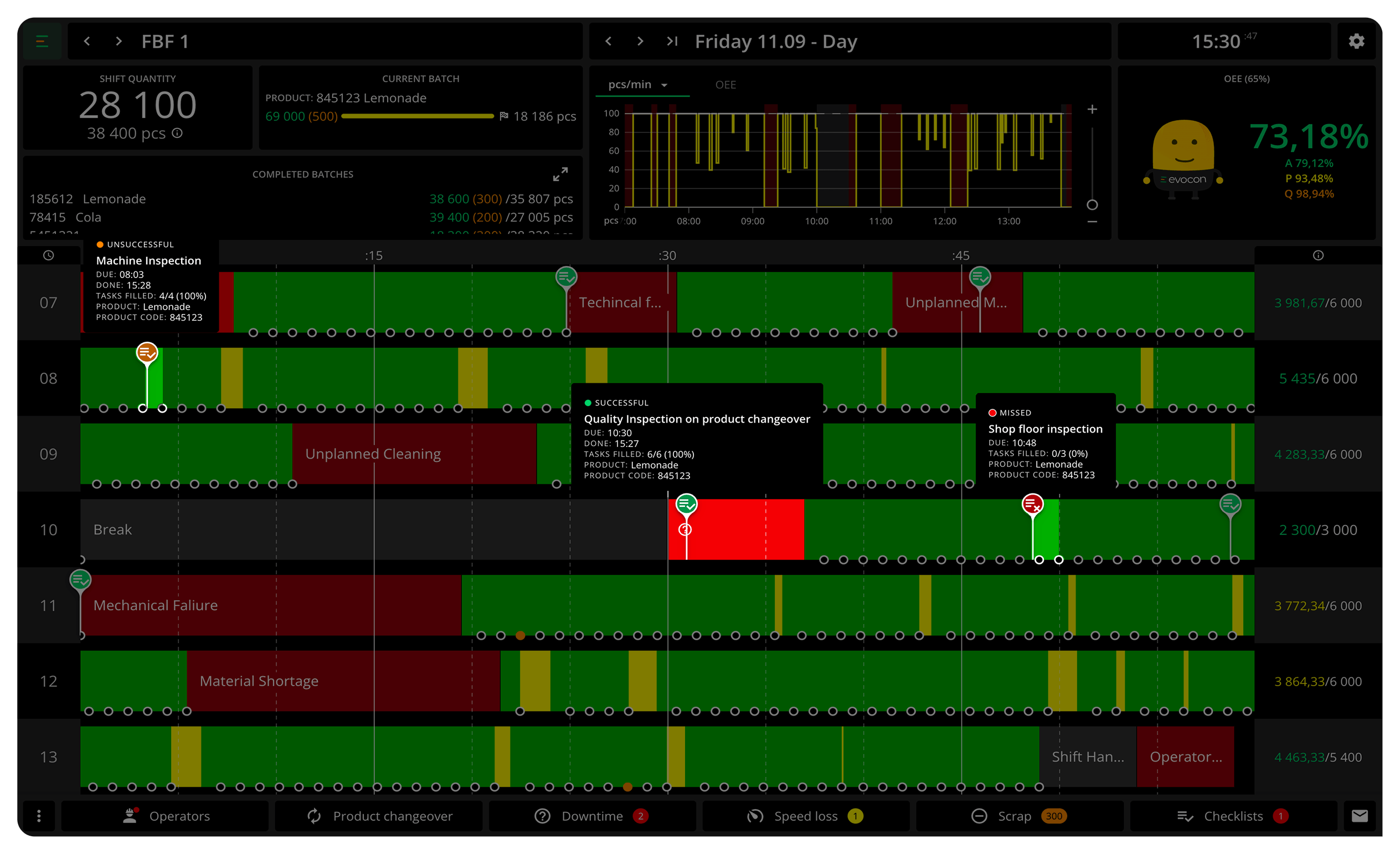
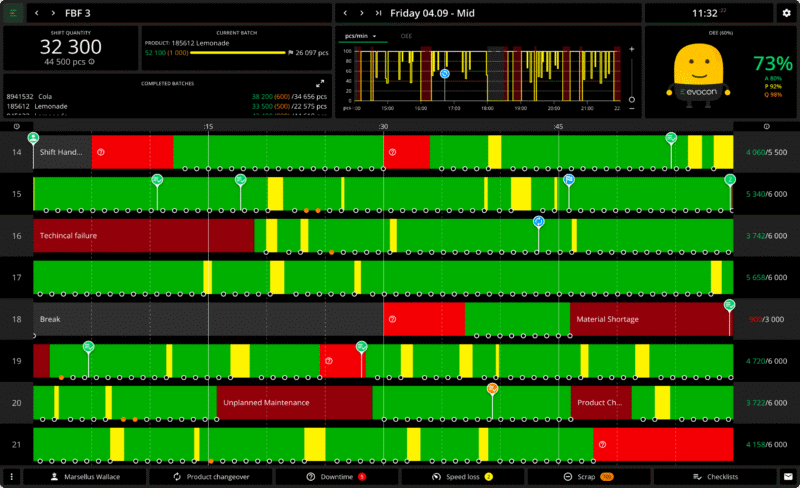
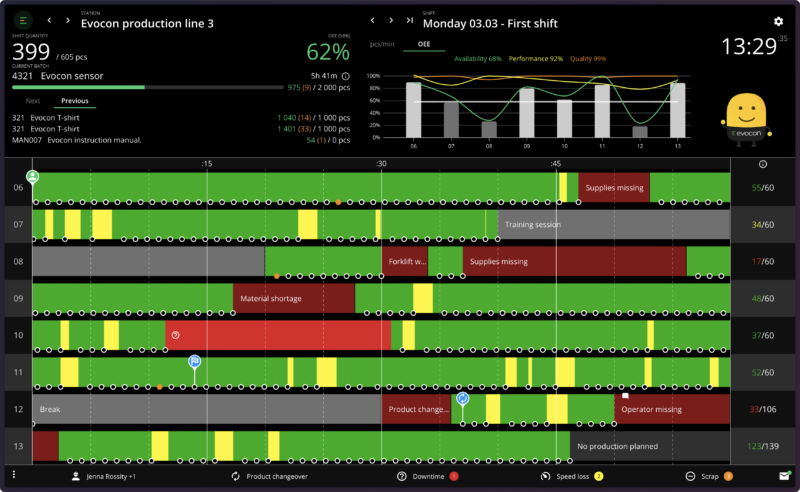
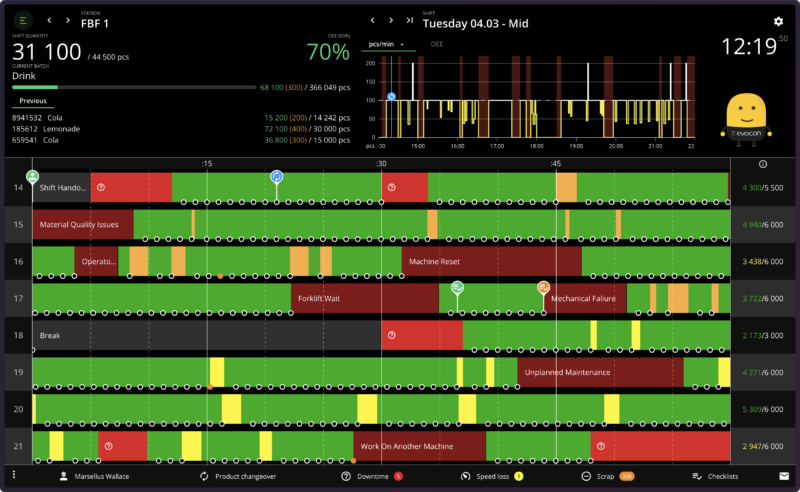
Every check appears as a pin on the Shift View timeline, where operators already work—no separate app, no paper. Pin colors show each check’s status at a glance: done, failed, or missed. Your whole team sees the same picture, in real time.
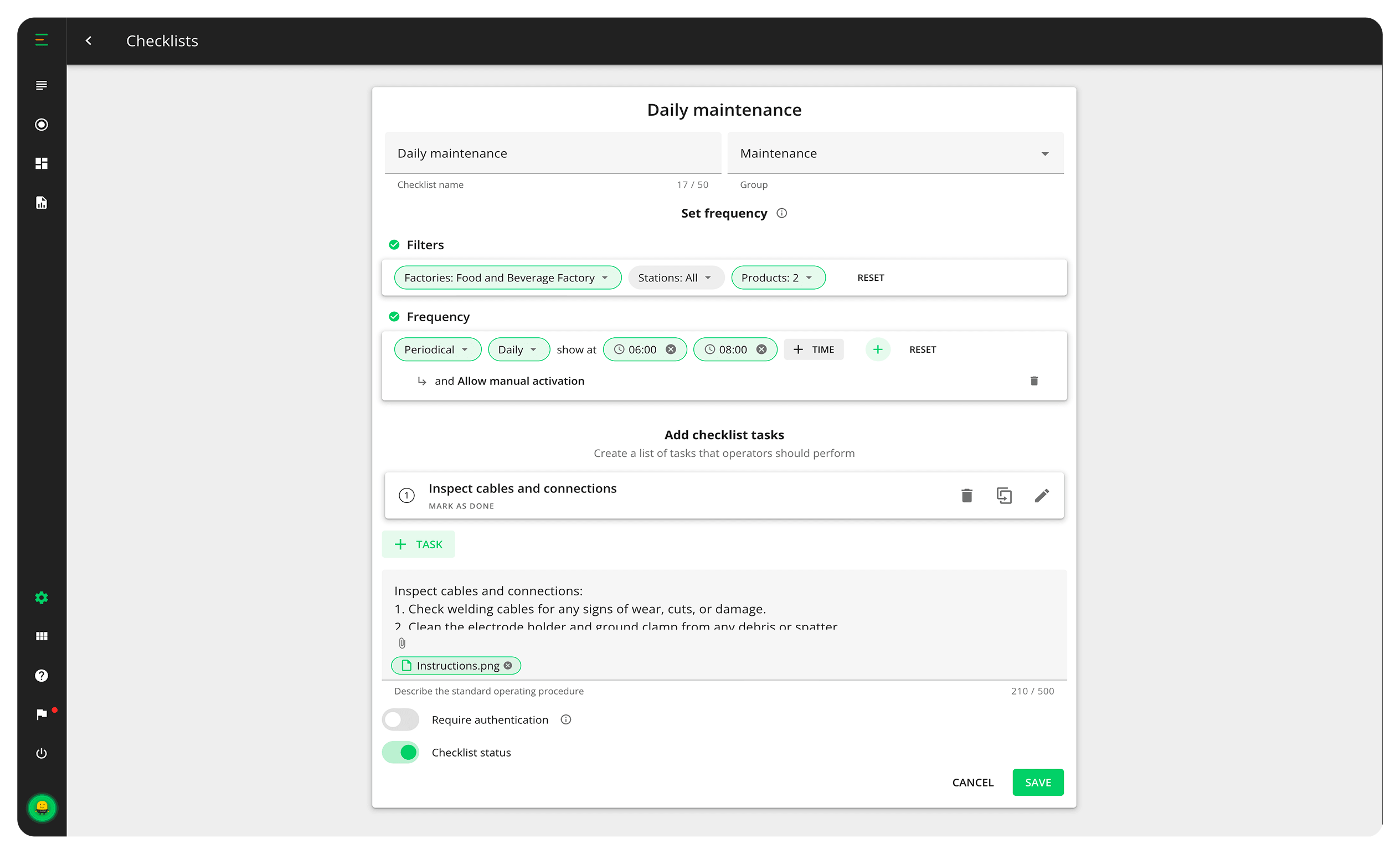
Run checks on a schedule—every two hours, every shift—or let real production events trigger them: after every 1,000 units, on every changeover, at a target quantity, or when a specific stop reason is registered. Your checks follow your process, not the calendar.
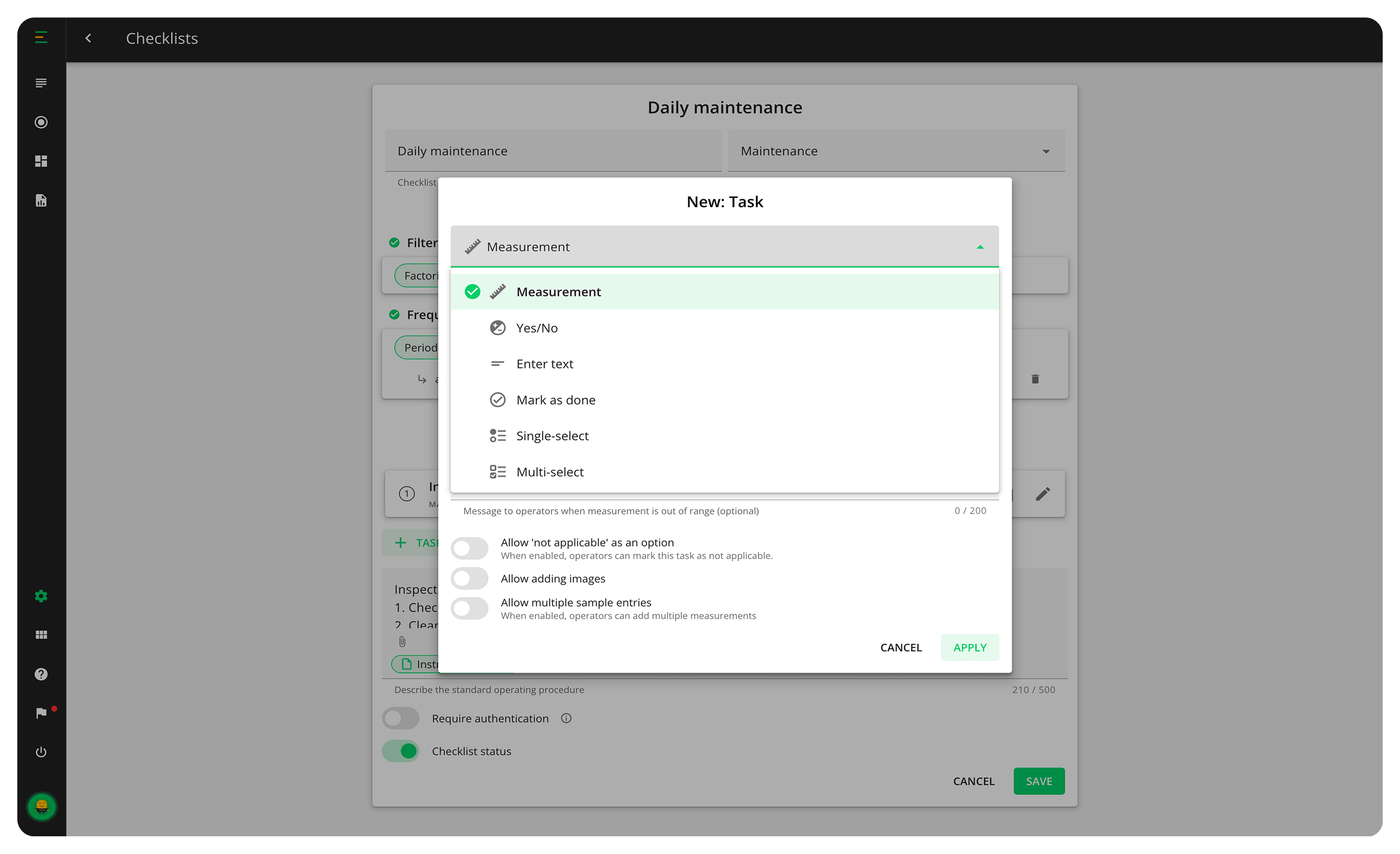
Six types of checks capture exactly the data you need: measurement, yes/no, text, mark as done, single select, and multi select. Measurements carry a target and an acceptable range—any value outside the range marks the check as failed automatically.
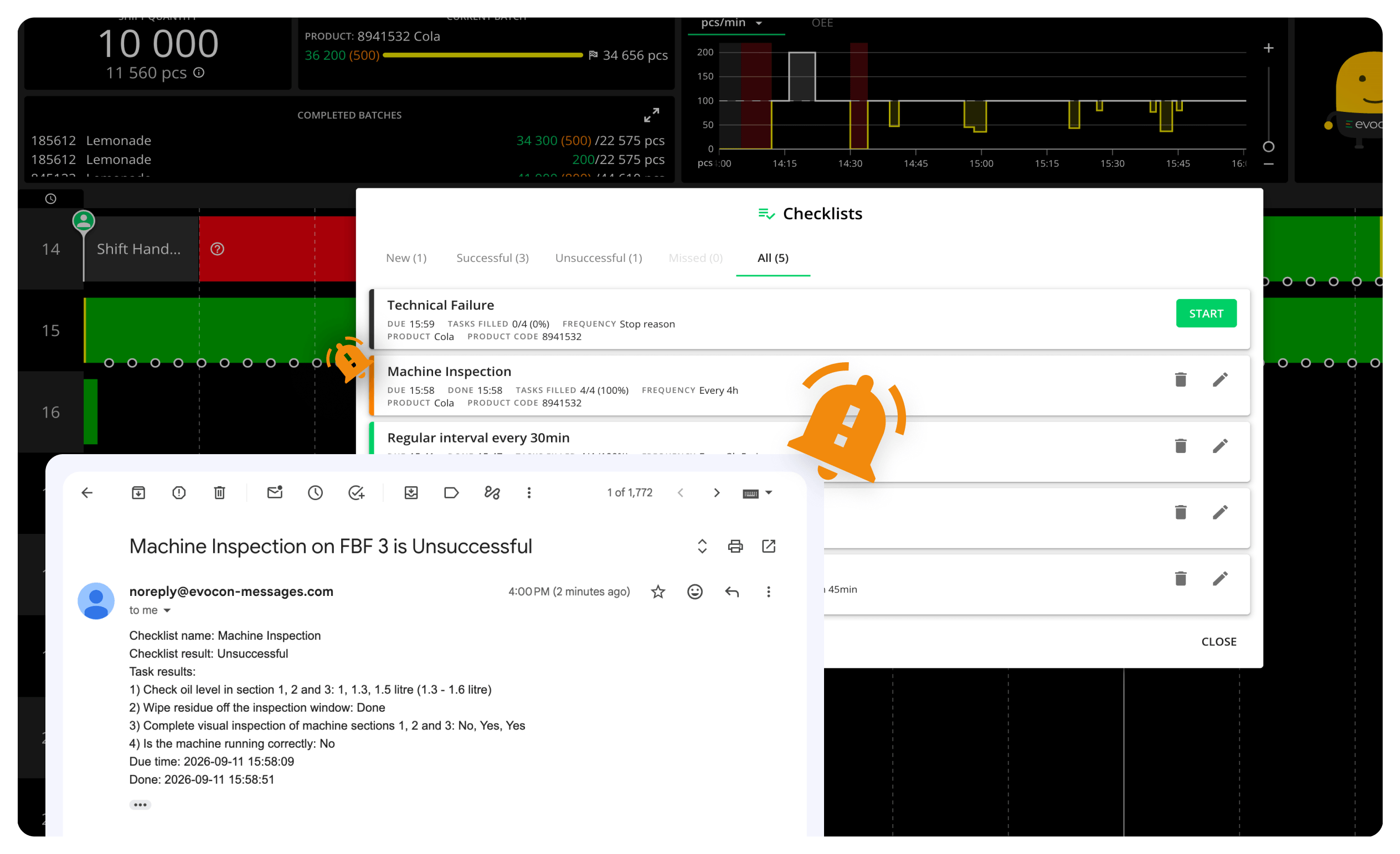
Get an alert when a check is completed, failed, or missed, so your team can respond right away. Whether it is a failed quality check or a skipped maintenance task, the right people know the moment it happens.
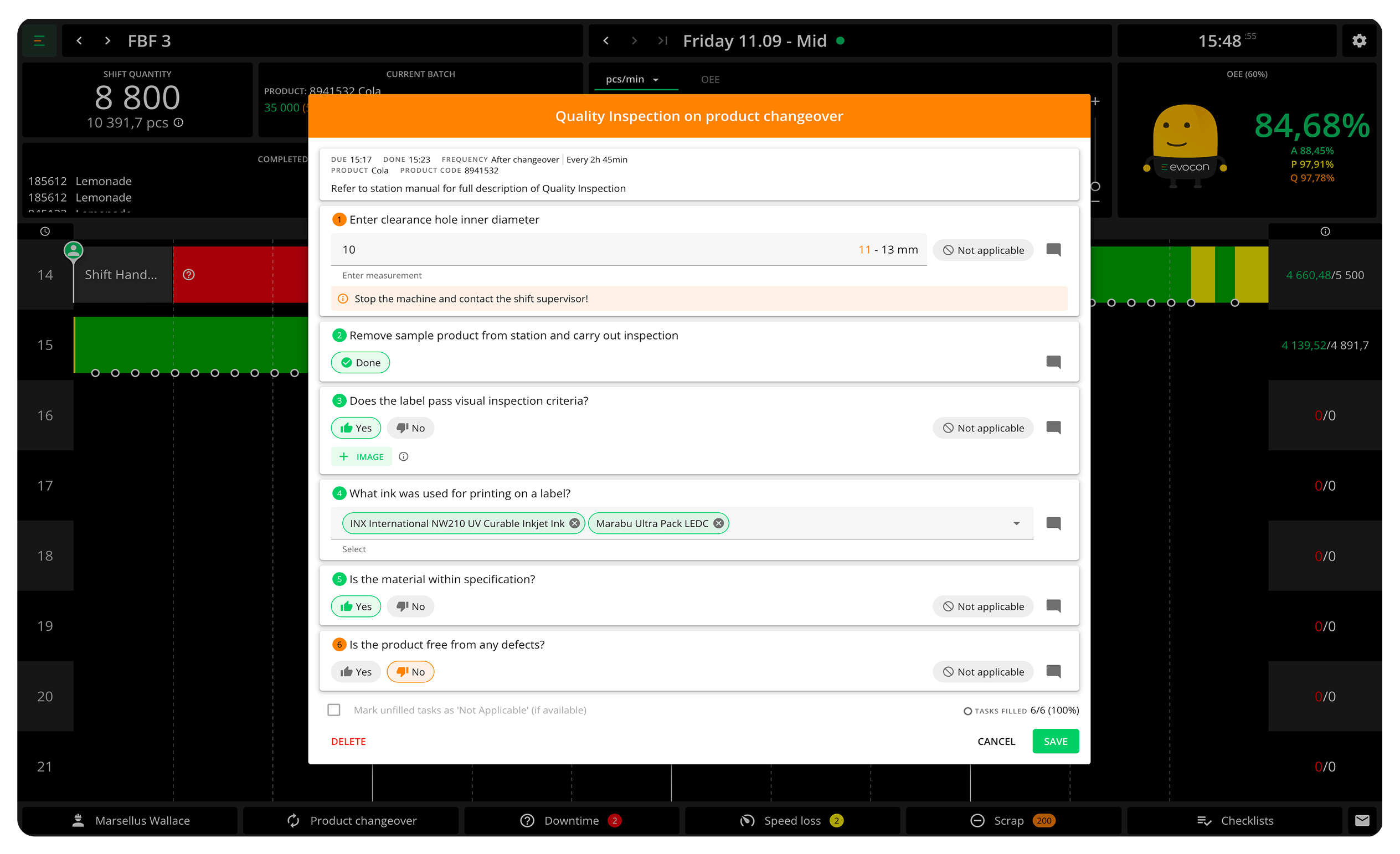
Prompt operators to perform quality checks based on real-time production data, catching issues while they are small. Products meet your standards consistently, with less rework and less scrap.
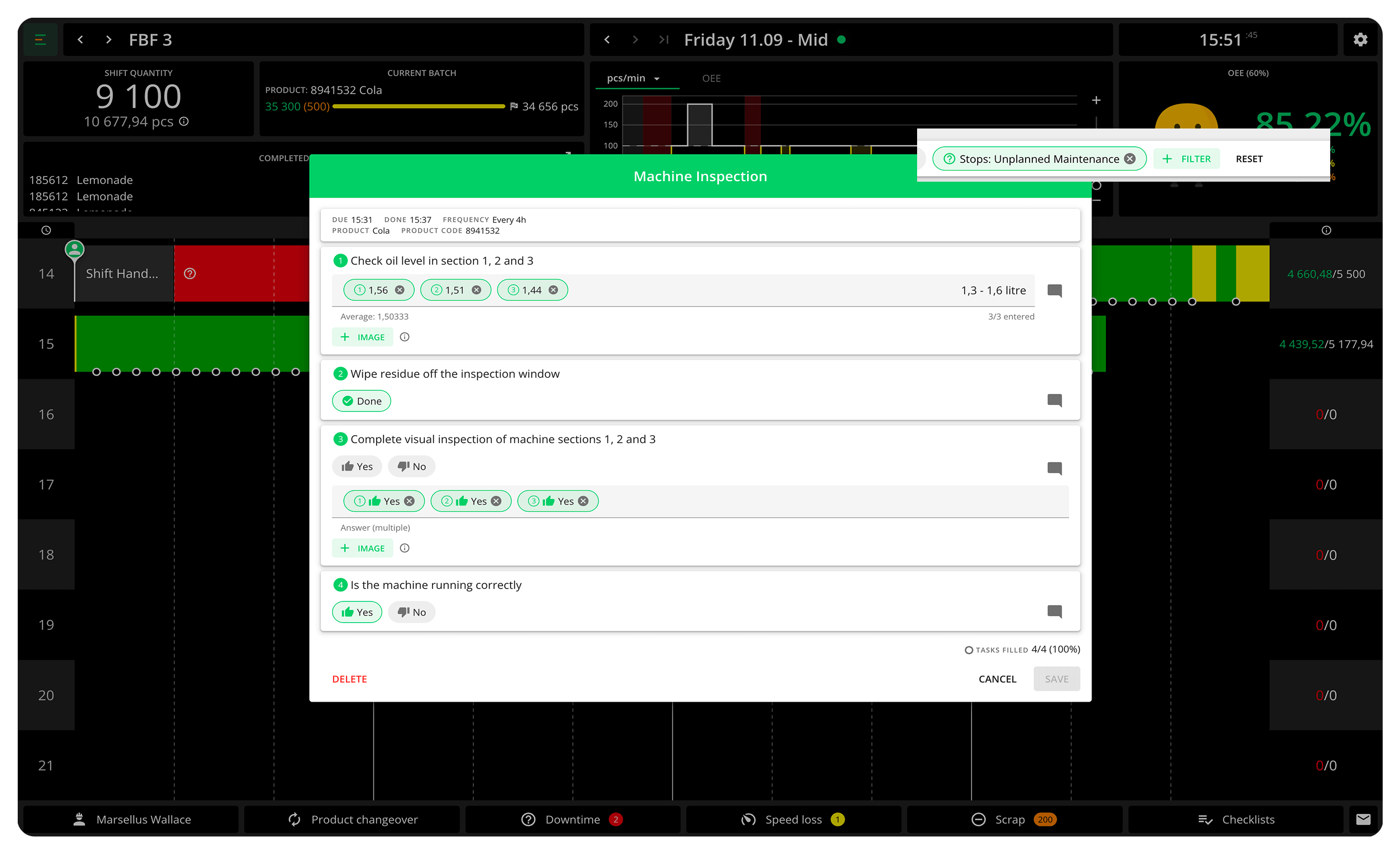
Set preventive maintenance checks based on actual machine usage—like hours run or cycles completed—rather than fixed schedules. Catch wear and tear early, reduce downtime, and extend equipment life.
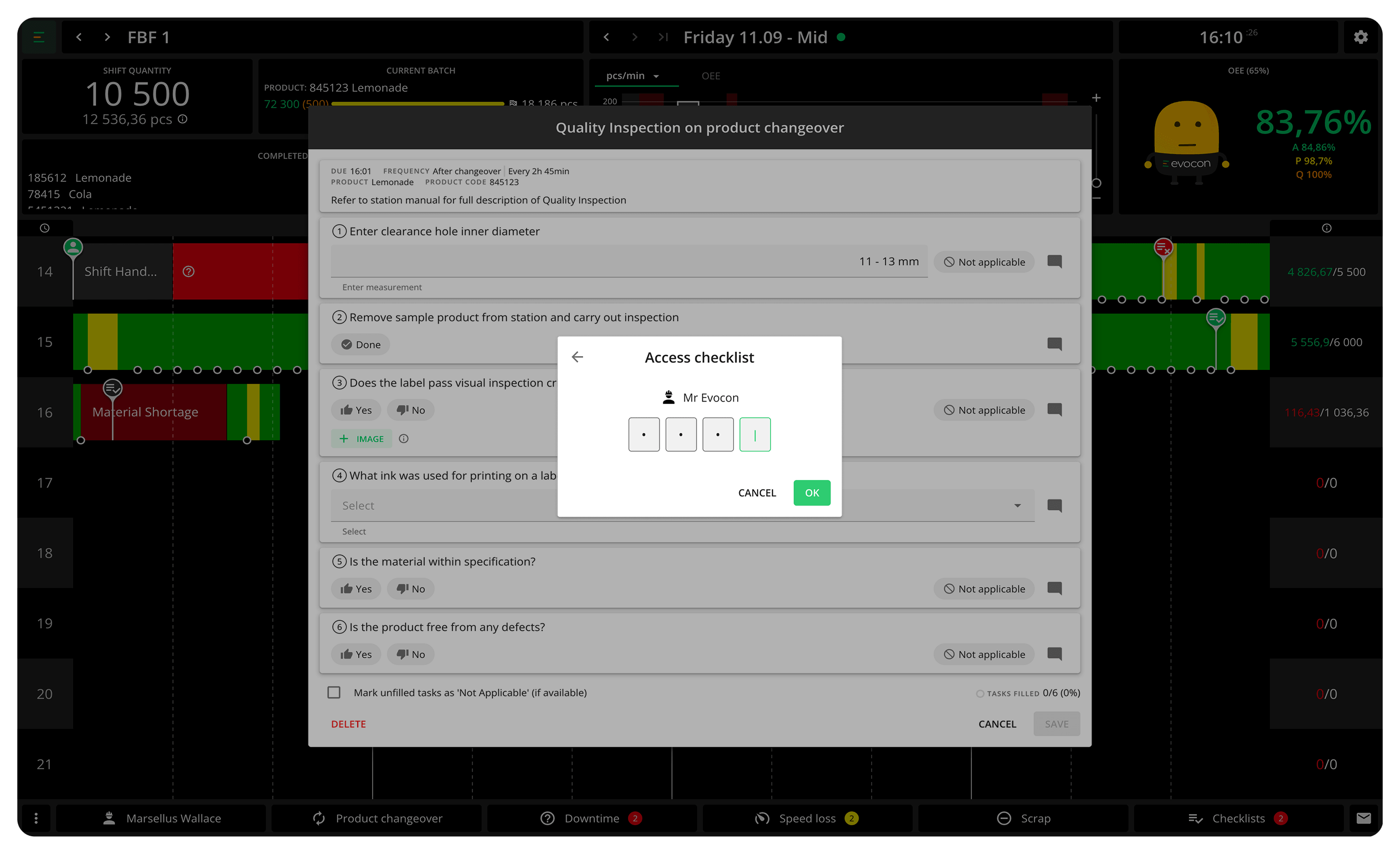
Require operators to sign off on checks with their personal passcode. Every check shows who did it and when—clear records that make compliance, accountability, and audits simple, whether internal or external.
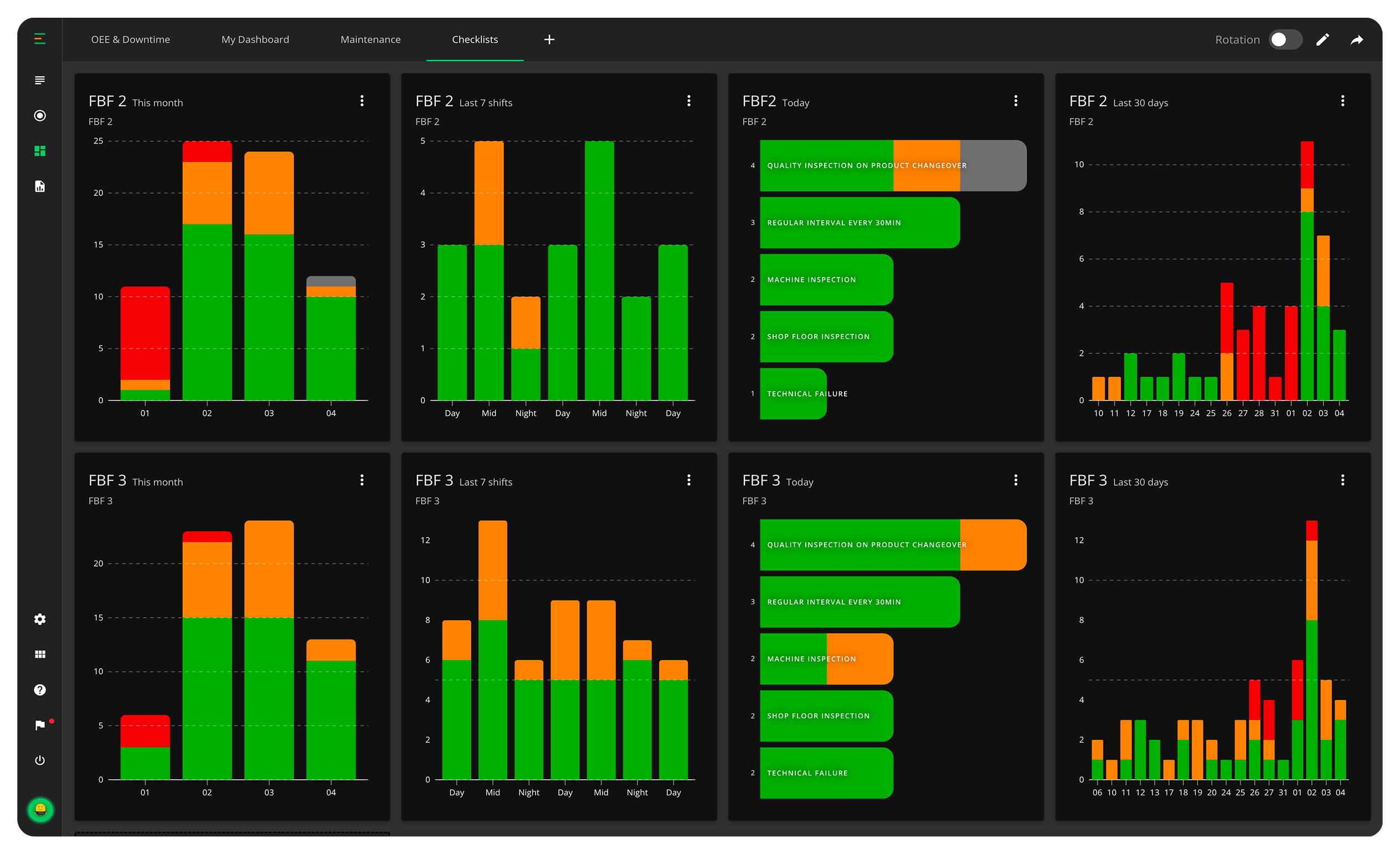
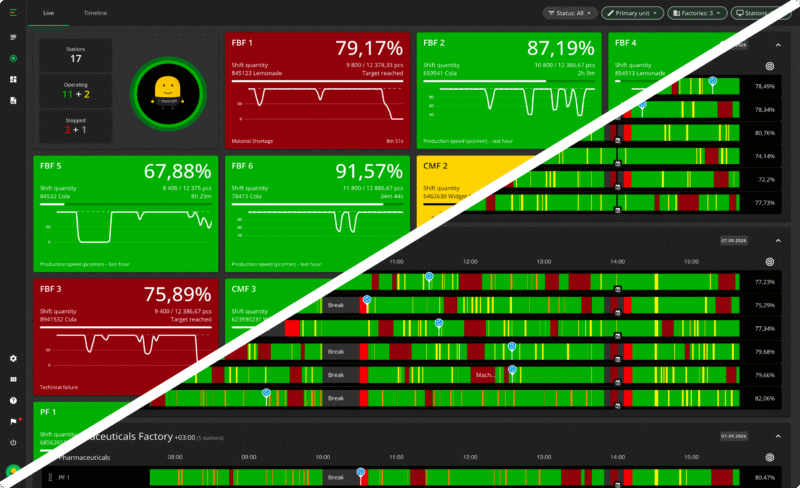
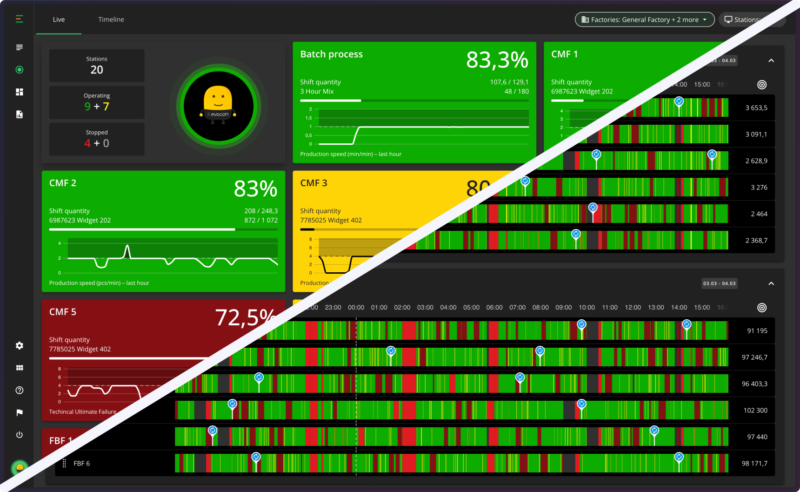
Add a checklist widget to any dashboard and follow check status live—done, failed, and missed, across the stations you choose. Put it on the meeting-room screen and the day’s checks become part of every morning conversation.
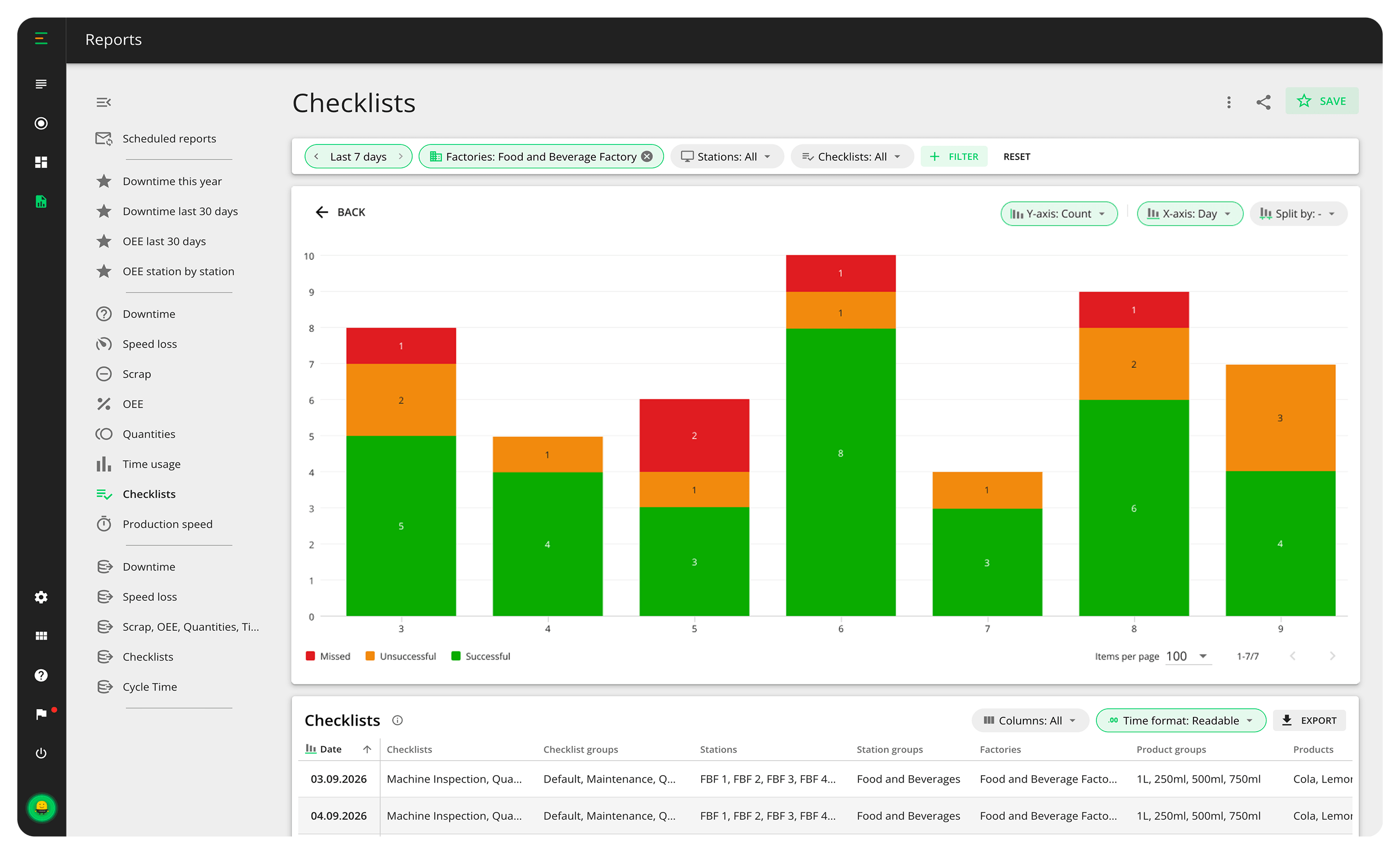
Checks are not just done—they are data. The Checklists report shows completion rates, failures, and fill times over any period, down to each individual answer—so you can see which checks slip, where, and why

To start using checklists, upgrade to Professional or Enterprise plan. Check Pricing
"Checklists have changed our company’s culture for the better. Operators want to ensure that all checks are done on time and according to expectations. As a result, decisions are made faster if adjustments to the machines are needed, and we have reduced the number of scrapped products by 20%."

Sebastián Cardona Gómez
Improvement Manager
Chala S.A.S
 Checks pinned to the Shift View timeline
Color-coded status: done, failed, or missed
Time-based schedules, from hourly to per shift
Event triggers based on data
Six task types, from measurements to free text
Target values and acceptable ranges for measurements
Automatic pass/fail based on your limits
Manual checks operators can start any time
Alerts for failed and missed checks
Operator authentication with personal passcodes
Checklist report with completion rates and fill times
Dashboard widget for live check status
Checklist data available via API
Duplicate and group checklists for easy management
Checks pinned to the Shift View timeline
Color-coded status: done, failed, or missed
Time-based schedules, from hourly to per shift
Event triggers based on data
Six task types, from measurements to free text
Target values and acceptable ranges for measurements
Automatic pass/fail based on your limits
Manual checks operators can start any time
Alerts for failed and missed checks
Operator authentication with personal passcodes
Checklist report with completion rates and fill times
Dashboard widget for live check status
Checklist data available via API
Duplicate and group checklists for easy management No financial commitment.
Start your improvement journey by trying out Evocon for free in your factory.
No financial commitment.