Product Overview
  Enterprise Package
  Integrations
  Security
  Hardware
  FAQ
FAQ 
 How Evocon Works
  OEE Monitoring
  Downtime Tracking
  Manufacturing Data Collection
  Production Monitoring
  Continuous Improvement
  Quality Control
 Learn
Learn  Case Studies
  Reports and Tools
  OEE Fundamentals
  Increasing Productivity
  Sustainability in Manufacturing
  The 5-Day Guide to Launch OEE Monitoring in 2026
 OEE Calculator
  ROI Calculator
  OEE Excel Template
  Evocon
  Contact
  Join us
  Sign in
 Back to main menu
Real-Time Production Monitoring

30-day free trial. No financial commitment
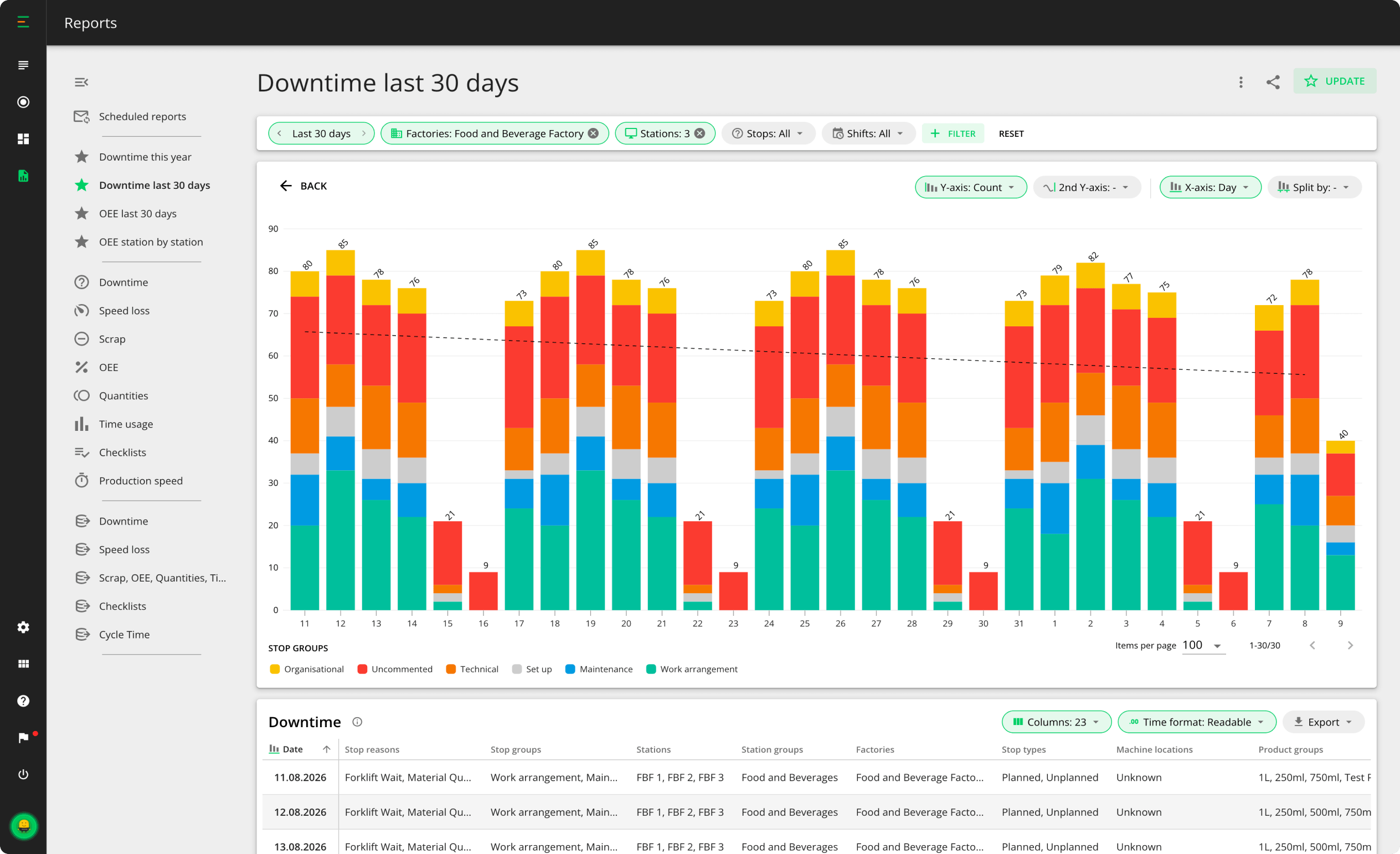
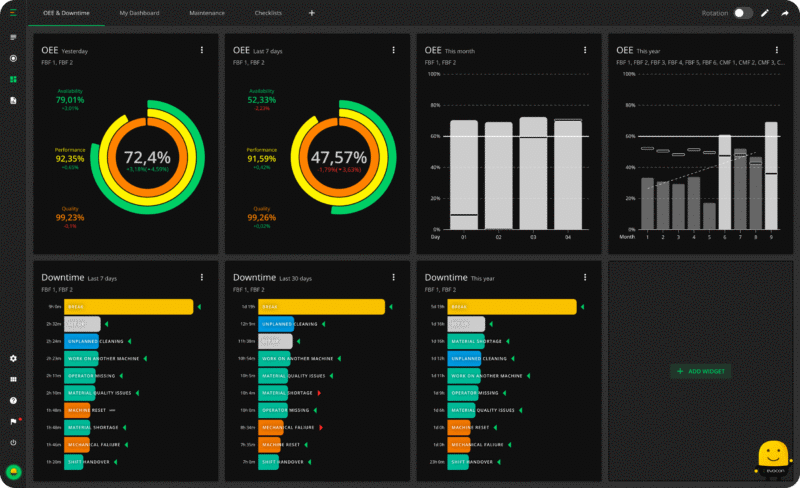
Evocon’s production reports give manufacturers the clarity they need to take action, reach goals, and improve efficiency. With visual, easy-to-understand insights across key areas, you’ll always know what’s happening—and why—so you can focus on what matters: improving performance.
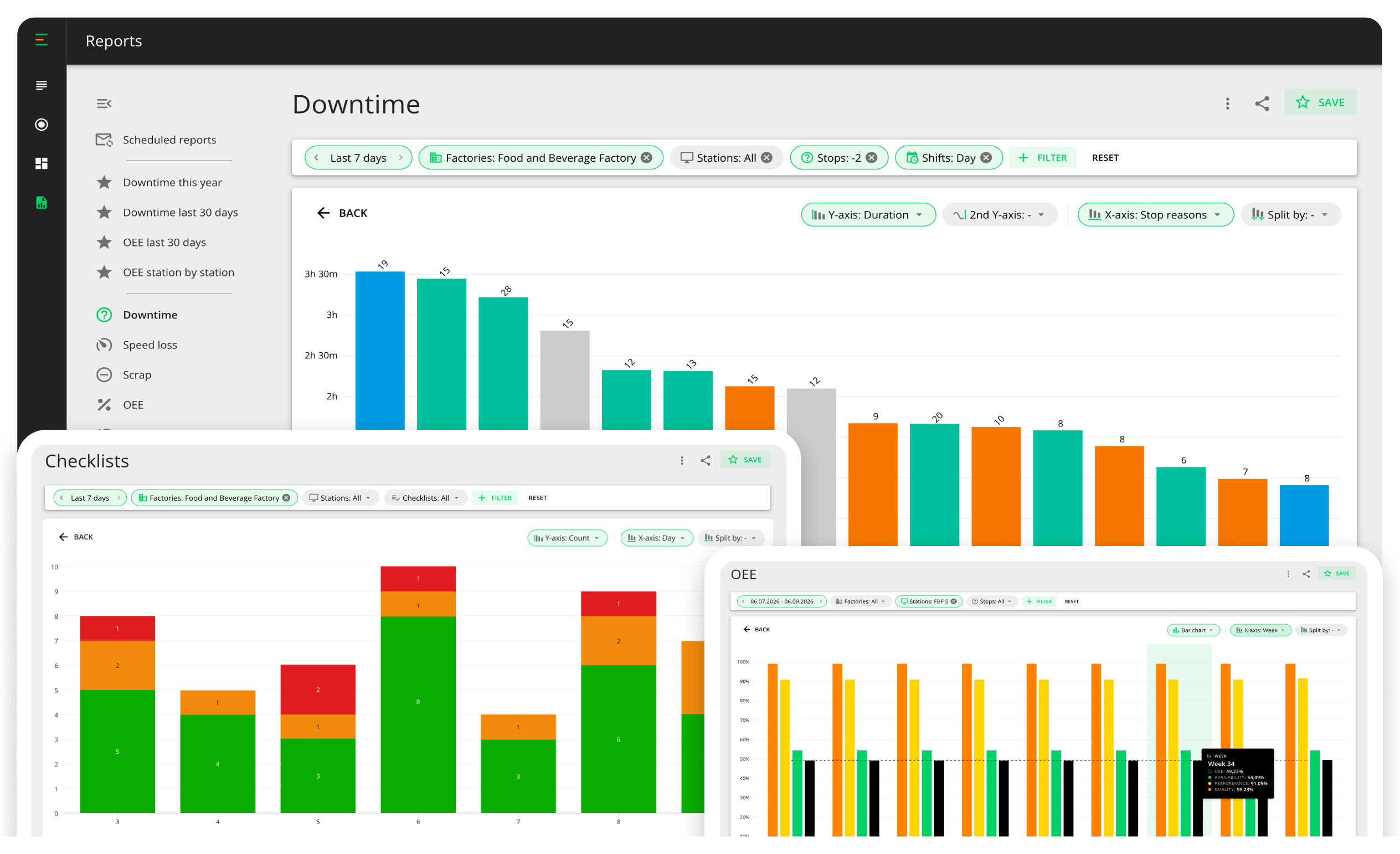
From the three OEE losses—downtime, speed loss, and scrap—to OEE itself, quantities, time usage, production speed, and checklists: eight standard reports, each built for to help improve efficiency.
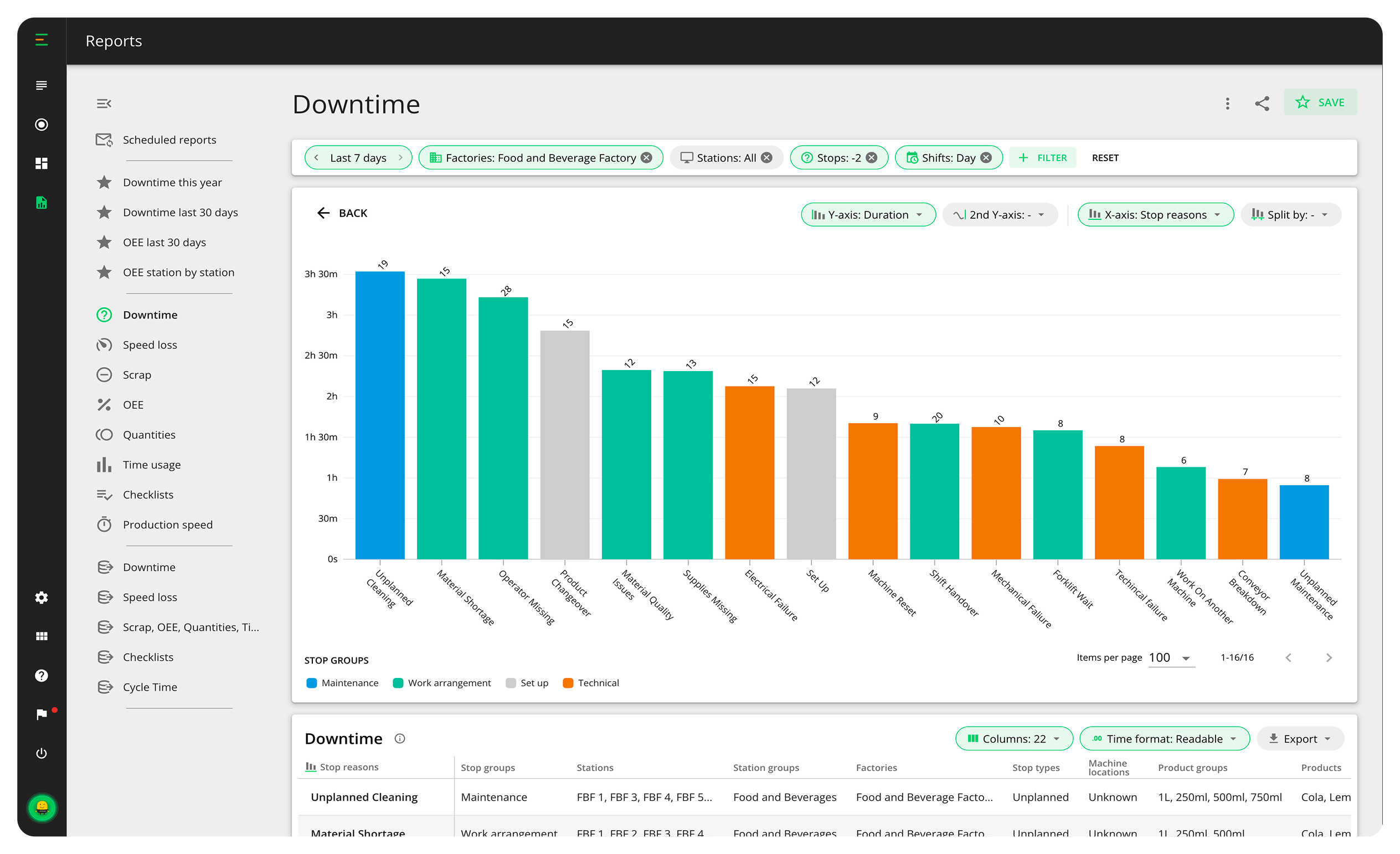
Start with your biggest loss of the month and drill down—through reason, shift, and station, all the way to the individual stop and the note the operator left on it. Root cause analysis stops being an investigation and becomes a few clicks.
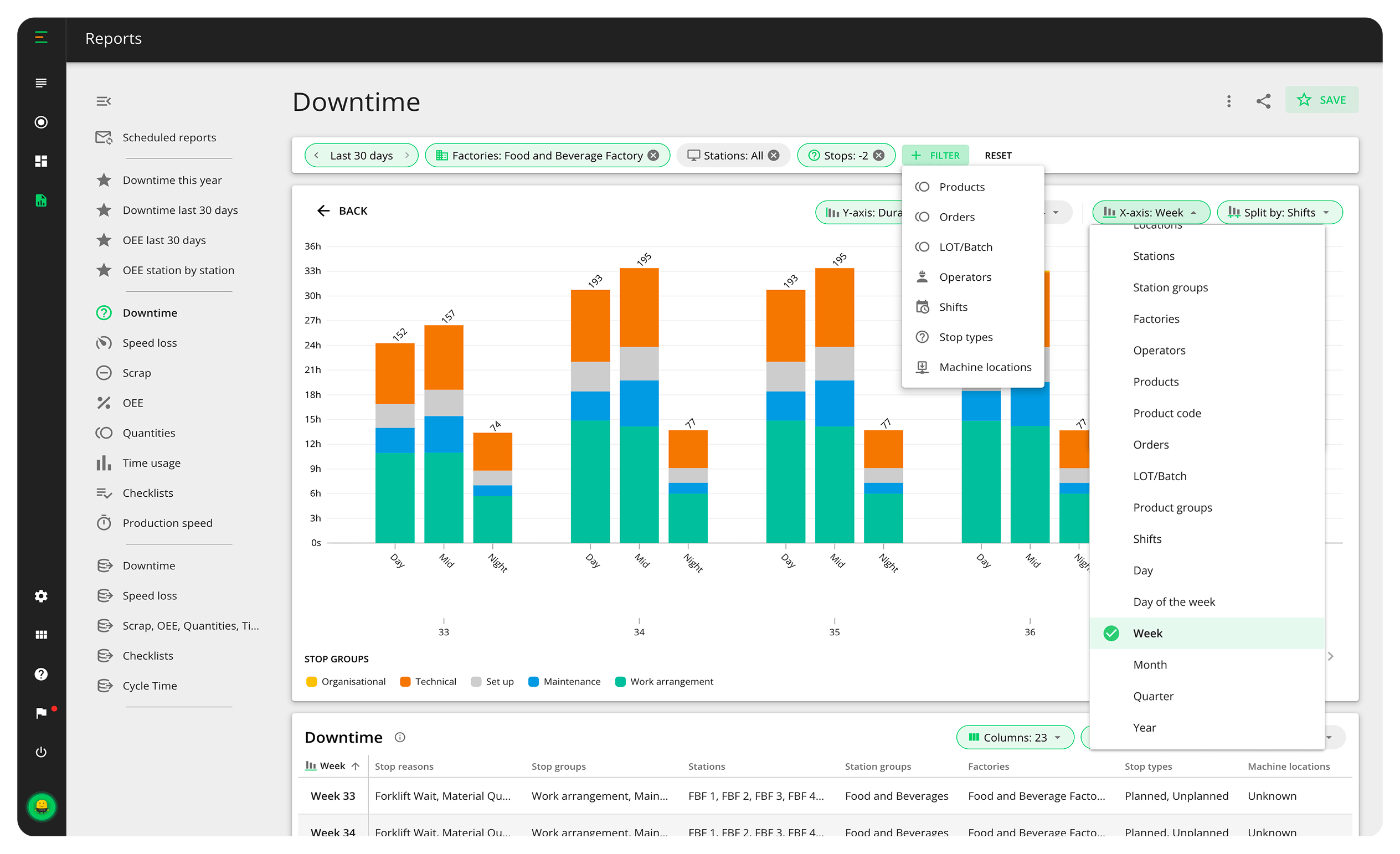
Filter to any slice of your production—stations, shifts, products, operators, and more. Then decide how to see it: put any dimension on the X-axis and split it by a another. Downtime by reason, split by shift, suddenly shows the problem only happens on nights
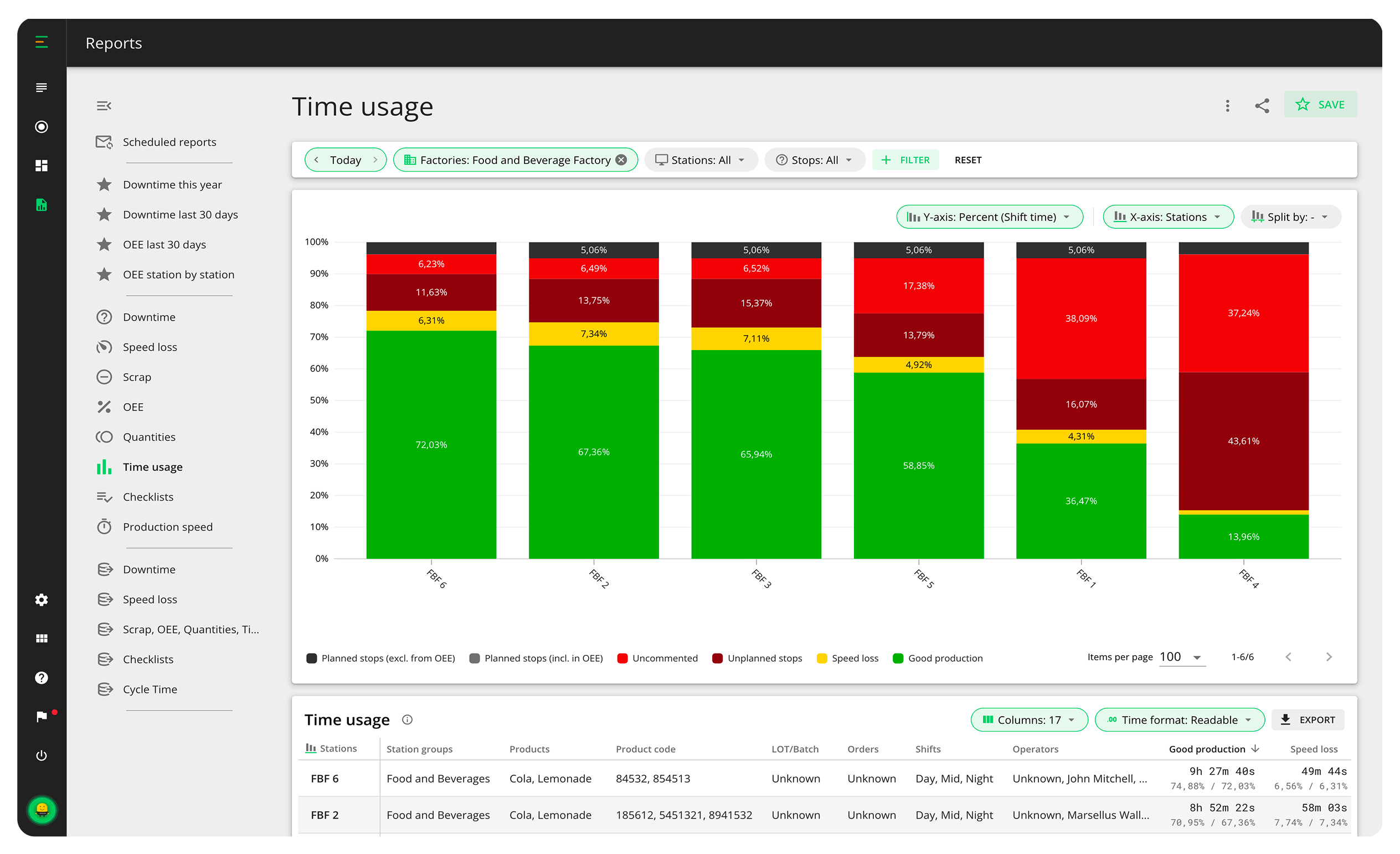
Put factories, stations, shifts, operators, products, or orders side by side on the same chart and see how they compare. Spot top performers and areas for growth so management can act on what’s working and what’s not.
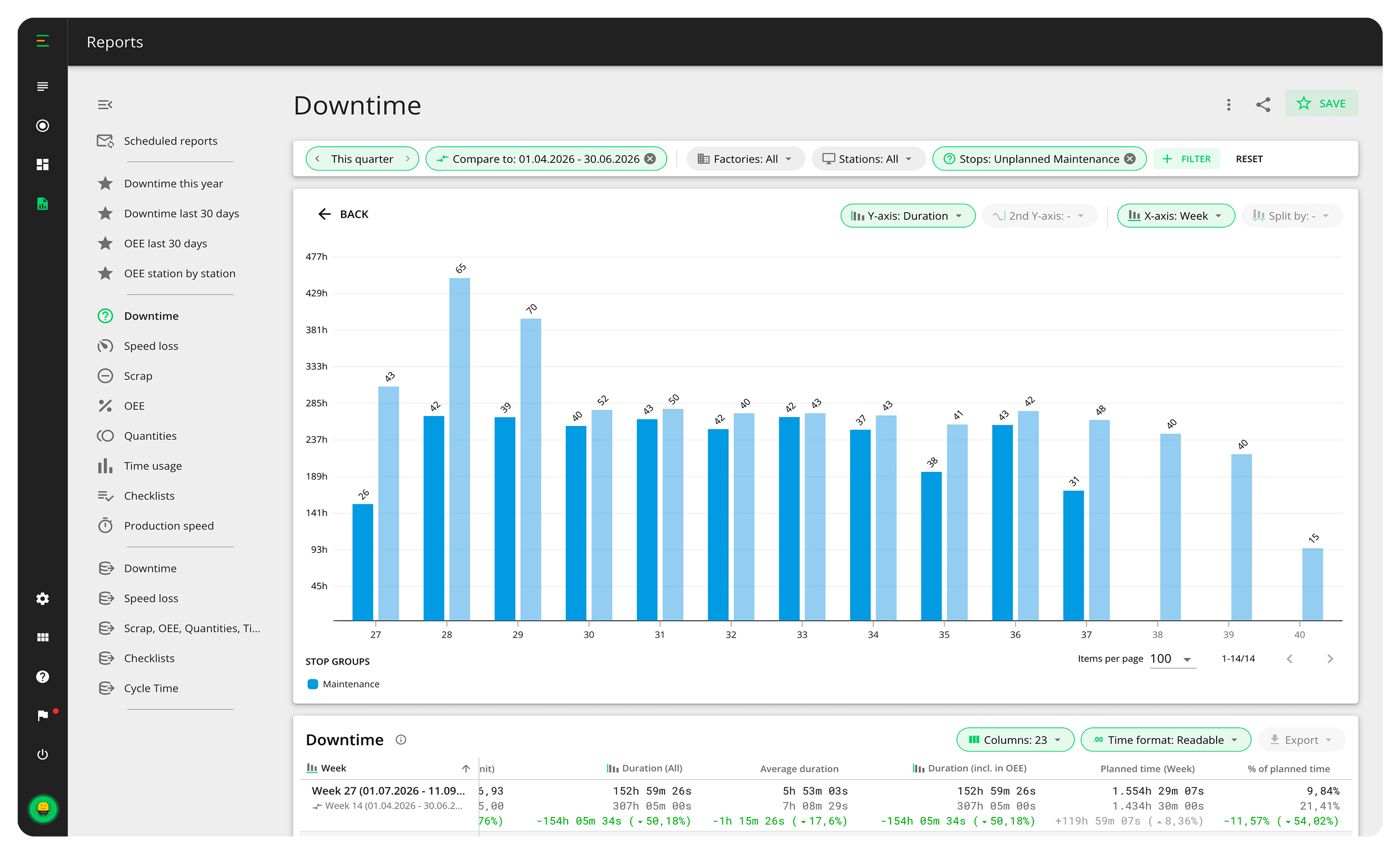
Improvement work needs a before and after. Compare any period against the one before it, the same period last year, or any custom range side by side on the same chart, with the differences calculated for you.
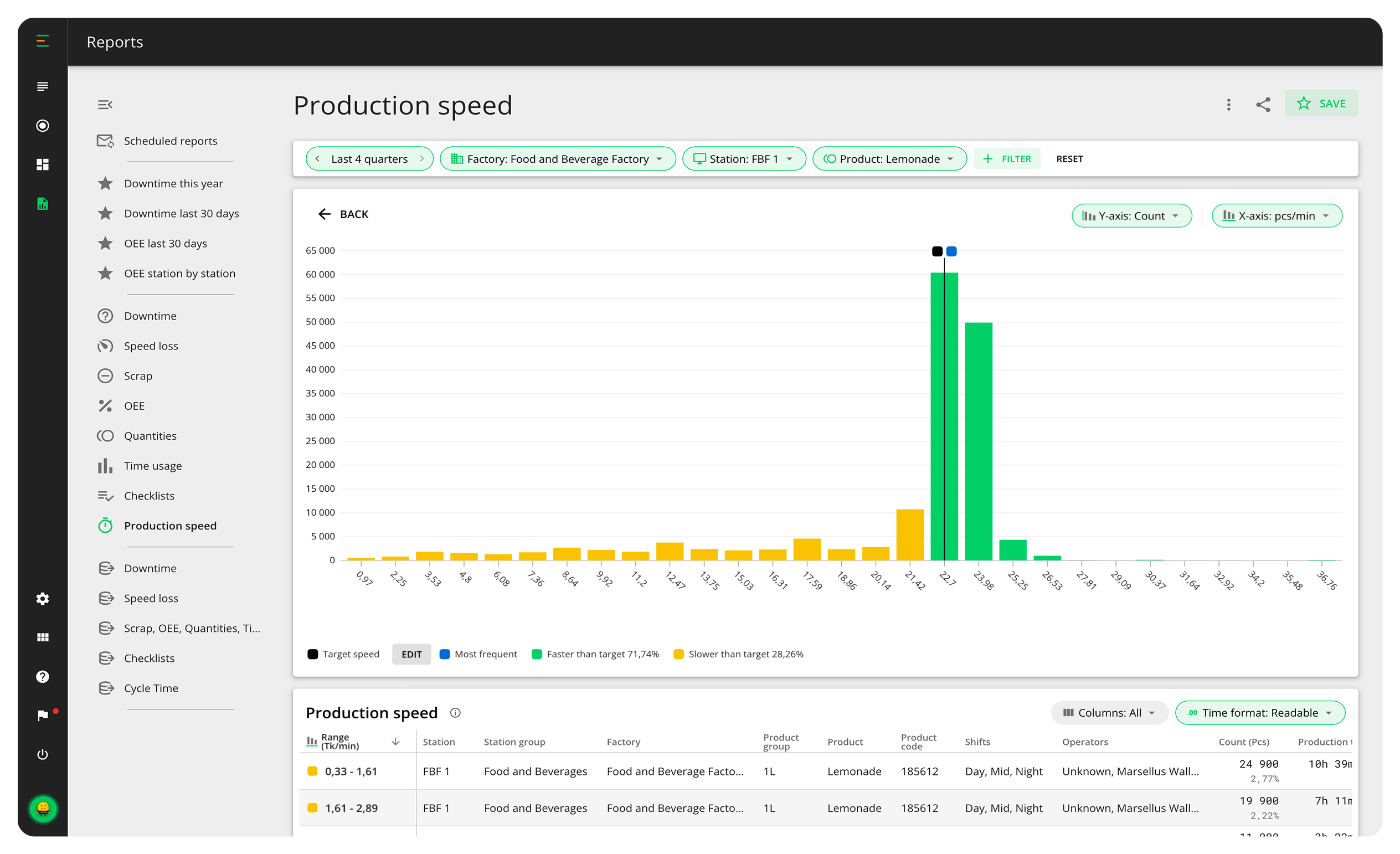
The production speed report analyzes thousands of real sensor signals per product to show the speed you most often achieve versus the target you’ve set so ideal cycle times get calibrated on data, not assumptions.
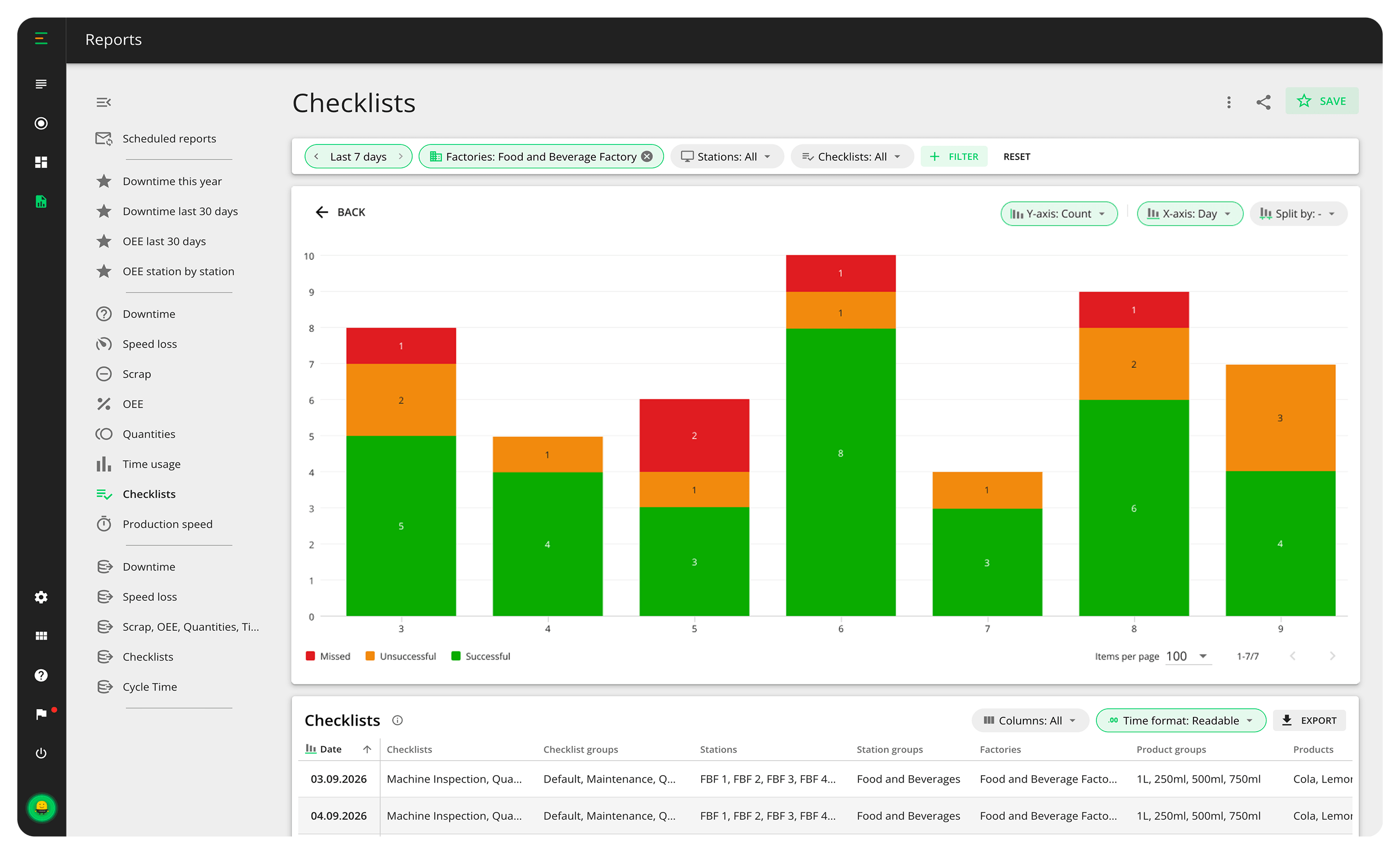
Analyze checklist performance across stations and teams. Failed checks warn you early about quality and maintenance risks, missed ones show where discipline slips, and the time each check takes tells you whether it was done carefully or rushed.
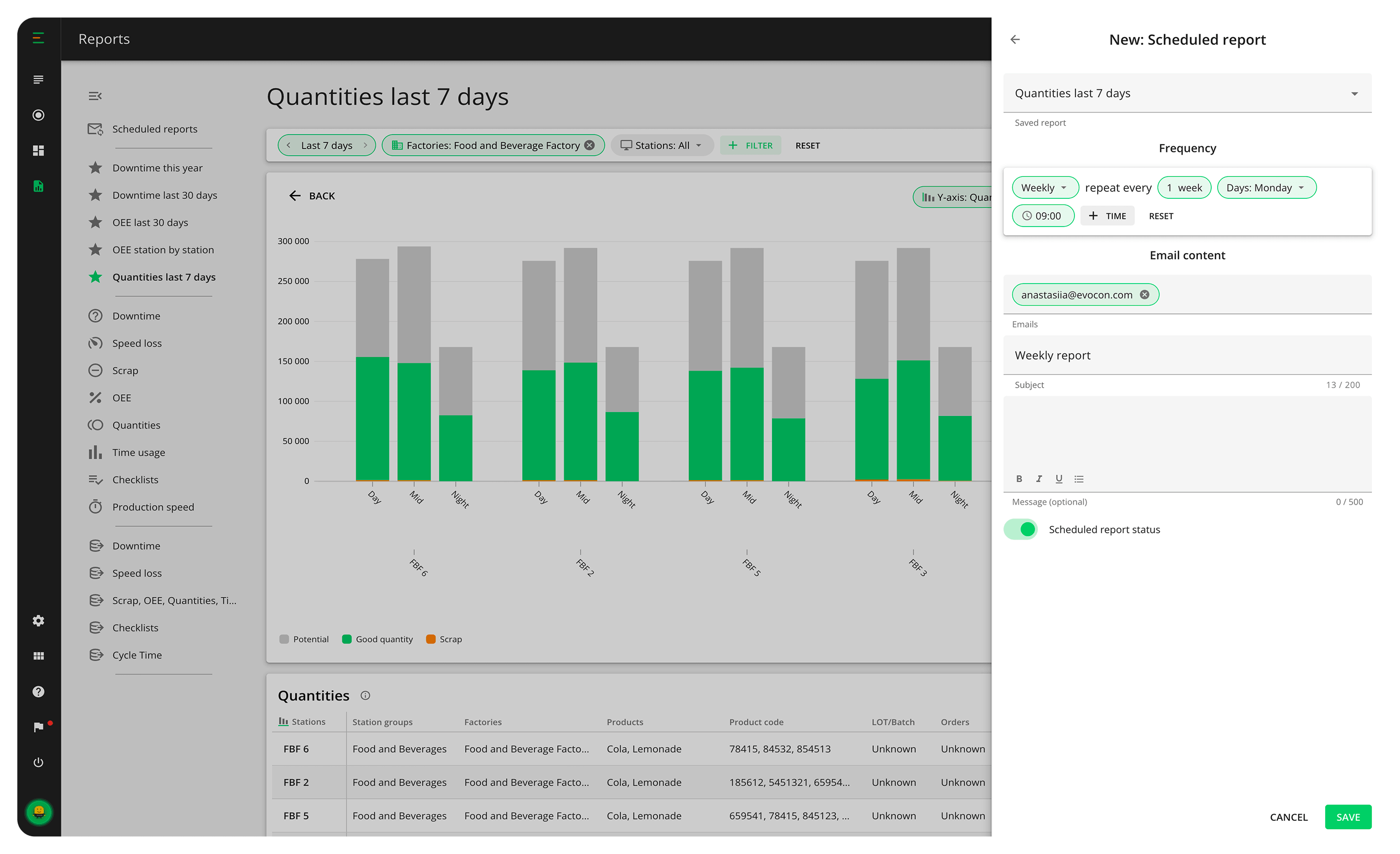
Stop wasting time compiling reports and navigating endless Excel files. Save any report with your filters and preferred time range, then schedule it straight to any inbox, including people who don’t have an Evocon account.
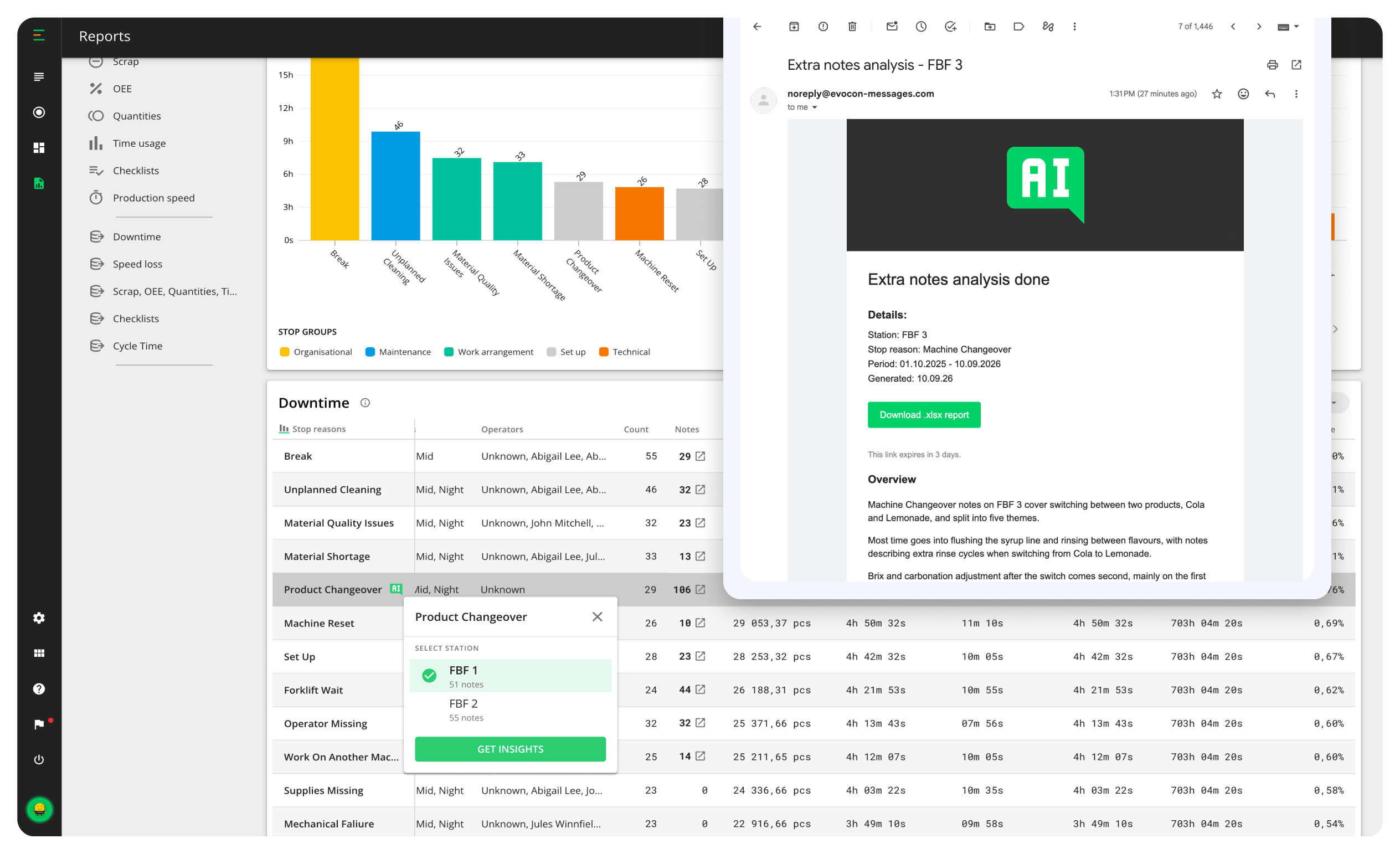
Your operators have written thousands of extra notes explaining stops—more context than any human will ever re-read. AI analyzes them for you, grouping notes into themes and surfacing patterns across operators, shifts, and products.
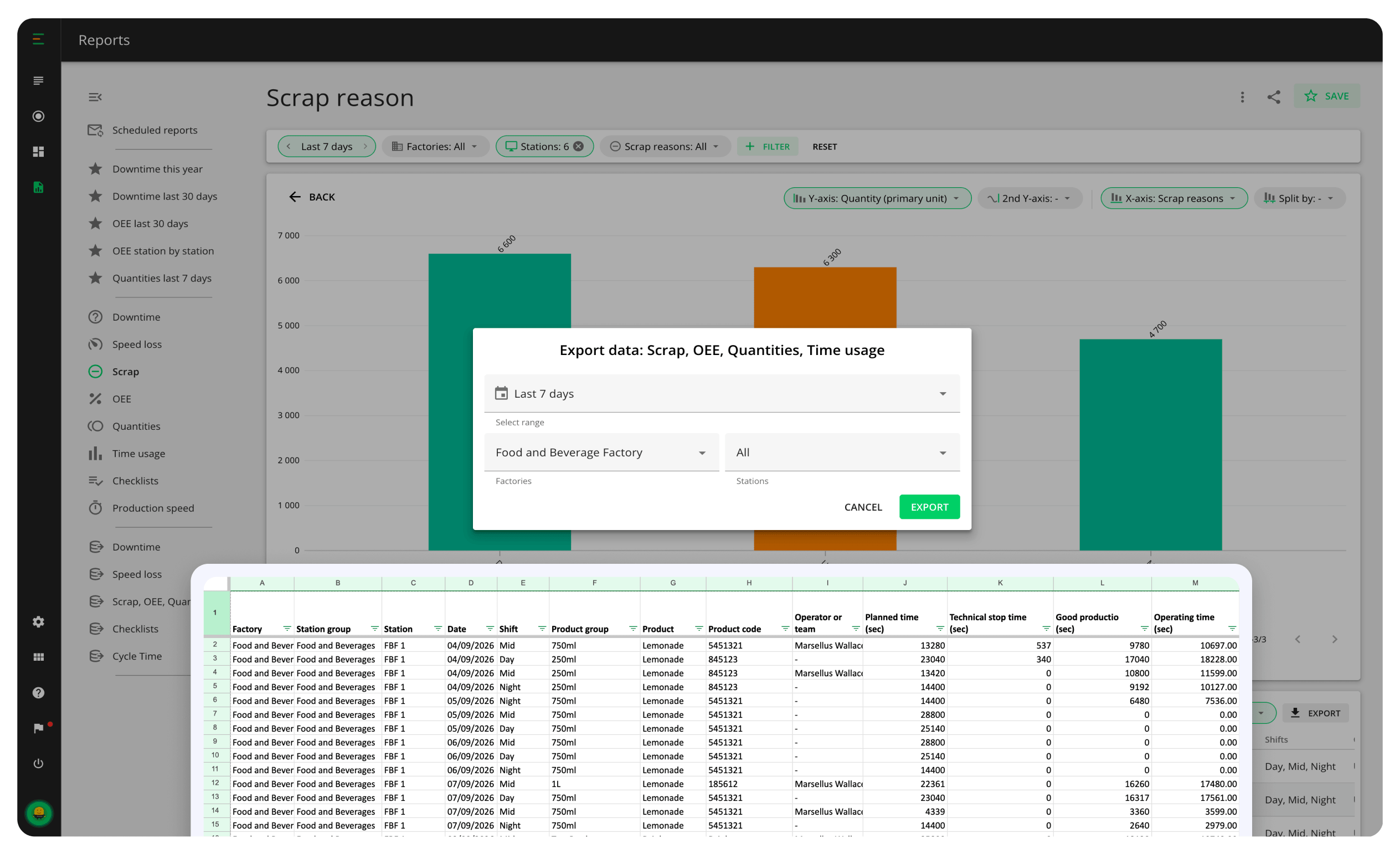
Need a deeper dive? Export any report to Excel or PDF, download the raw data behind it, or connect Power BI and other tools through the API. Your production data is always yours to analyze, in the tools you already use.
"A truly great tool for those who want to improve their production and OEE. From the first days of its use, we have achieved a significant improvement in efficiency. I highly recommend it."

Kostas Faltsetas
CEO
Adam Pack
 Eight standard production reports
Analysis of all OEE components
Filters for stations, products, shifts, operators, and more
Any dimension on the X-axis, plus split by for deeper insights
Drill-down to individual events and operator notes
AI-powered analysis of downtime notes
Period-over-period comparison
Benchmark across any data dimension
Trend and target lines
Visualization of untapped potential
Saved reports
Scheduled reports to any inbox
One-click sharing with filters intact
Exports to Excel and PDF
Raw data files and API access
Access to historical data
Eight standard production reports
Analysis of all OEE components
Filters for stations, products, shifts, operators, and more
Any dimension on the X-axis, plus split by for deeper insights
Drill-down to individual events and operator notes
AI-powered analysis of downtime notes
Period-over-period comparison
Benchmark across any data dimension
Trend and target lines
Visualization of untapped potential
Saved reports
Scheduled reports to any inbox
One-click sharing with filters intact
Exports to Excel and PDF
Raw data files and API access
Access to historical data No financial commitment.
Start your improvement journey by trying out Evocon for free in your factory.
No financial commitment.